Overview
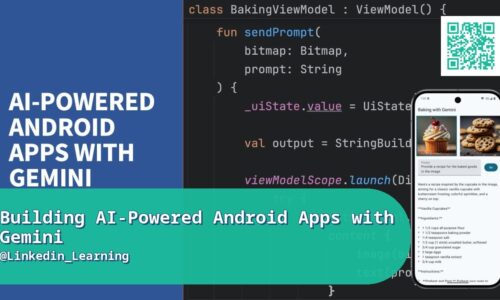
Integrating a large language model into a mobile app used to require serious backend infrastructure work; Google’s Gemini API and Vertex AI have significantly lowered that bar for Android developers specifically. This course walks through building custom Android applications that call Gemini models directly, covering the API integration patterns needed to send requests and handle responses reliably, along with the mobile-specific considerations that come with adding generative AI to an app — managing latency, handling errors gracefully on unreliable mobile connections, and thinking through what belongs on-device versus what should call out to the API. The course also touches on choosing between Gemini’s various model sizes depending on whether a feature prioritizes speed or output quality. The course also covers a practical decision every team building this kind of feature eventually faces: streaming responses versus waiting for a complete answer before displaying anything, since streaming makes an app feel dramatically more responsive even when the total response time is identical. You’ll also cover prompt engineering specifically for a mobile context, where responses often need to be shorter and more structured than they would in a general chat interface.
Real-World Relevance & Use Cases
Mobile apps with genuinely useful AI features — smart search, content generation, conversational assistants — are increasingly table stakes for competitive apps, and Android developers who can integrate LLM capabilities directly add a skill that’s hard to find bundled with strong mobile development experience. Gemini’s tight integration with the broader Google/Android ecosystem makes it a particularly natural choice for Android developers specifically, compared to juggling a separate third-party AI provider’s SDK. This is a genuinely in-demand combination — mobile development plus applied generative AI — for developers building consumer apps, internal tools, or AI-powered features for existing Android products. It also matters for teams under pressure to ship AI features quickly without the lead time a custom backend build would require. This matters directly for a developer building a customer support feature that needs to feel instant rather than making users stare at a loading spinner, or a note-taking app adding an AI summarization feature that has to work reliably even on a mediocre mobile connection. Getting the integration pattern right is often what separates a feature users love from one they quietly stop using after the first frustrating experience.
Who This Course Is For
For Android developers who already know Kotlin or Java and Android app development basics, and want to add generative AI capabilities without building backend infrastructure from scratch. Some familiarity with making API calls from an app is helpful but not strictly required. It also suits product-minded Android developers evaluating whether a proposed AI feature is realistic to build with current tooling before committing engineering time and budget to it. Freelance Android developers pitching AI-enhanced features to clients will find this gives them concrete implementation experience to point to. It’s a practical, resume-relevant investment for any Android developer who wants AI integration experience they can point to concretely. It’s also relevant for indie Android developers building a side project who want AI capabilities without the overhead of standing up and maintaining their own backend infrastructure.
What You’ll Learn
- Overview of the Gemini API and Vertex AI for Android developers
- Setting up API access and authentication
- Making your first Gemini API call from an Android app
- Handling responses and structuring AI-generated content in your UI
- Managing latency and loading states for AI-powered features
- Error handling for unreliable mobile network conditions
- Deciding what belongs on-device vs. what should call the API
- Cost and rate-limit considerations for production apps
- Mini project: building a simple Gemini-powered Android feature
Course Files
Instructor