Overview
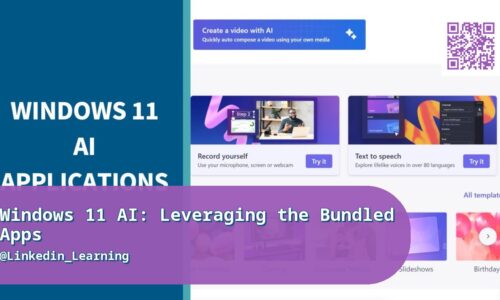
Windows 11 ships with more genuinely useful AI-powered functionality than most users ever discover, quietly built into apps like Photos, Clipchamp, and Paint rather than marketed as a headline feature. This course tours those built-in tools specifically, showing how to use their AI features to enhance and edit photos, speed up video editing projects in Clipchamp, and use AI-assisted tools in Paint and other bundled apps to get everyday creative and editing tasks done faster — all without installing a single third-party app or paying for a subscription. It’s a practical, no-fluff walkthrough of software most Windows users already have sitting unused on their machine. The course also covers a genuinely practical habit: checking Windows Settings periodically for AI features that roll out gradually and aren’t enabled by default for every user, since Microsoft frequently ships new capabilities to bundled apps without a major announcement. You’ll also cover privacy settings specific to AI features, since some run entirely on-device while others send data to the cloud, and knowing the difference matters for anyone handling sensitive work files.
Real-World Relevance & Use Cases
Small business owners, freelancers, and everyday users often pay for or download third-party AI editing tools without realizing genuinely capable AI features are already built into the Windows apps they have installed, representing real, immediate cost and time savings once they know where to look. This is especially relevant for anyone doing lightweight content creation, social media management, or basic video editing who doesn’t need (or can’t justify the cost of) a professional creative suite. It’s also a low-effort way for IT support staff and trainers to add genuine value when helping less technical users get more out of tools they already own. This matters directly for a small business owner editing product photos for an online store who’s currently paying for a separate photo editing subscription without realizing similar functionality already exists in the Photos app. It also matters for a freelancer producing quick social media clips who doesn’t need professional video editing software when Clipchamp’s AI features can already handle straightforward trimming, captioning, and enhancement tasks.
Who This Course Is For
For everyday Windows 11 users, small business owners, and freelancers who want to get more value out of software already installed on their machine, without learning a new paid tool or subscribing to anything additional. No technical background needed. It’s also useful for small content teams juggling photos, video, and quick edits who’d rather rely on one already-installed toolset than manage several separate paid subscriptions. Content creators on a tight budget who can’t yet justify paid creative software subscriptions will find genuine value in what’s already installed. It’s a low-effort, high-payoff course precisely because it teaches you to use tools you already have rather than requiring new purchases. It’s also useful for people supporting older relatives or less technical colleagues with basic photo and video tasks, since these built-in tools are often genuinely easier to guide someone through than a paid third-party app.
What You’ll Learn
- Tour of AI features built into Windows 11’s bundled apps
- Enhancing and editing photos with AI in the Photos app
- Speeding up video editing with Clipchamp’s AI features
- AI-assisted editing tools in Paint
- Using AI features for everyday productivity tasks
- Finding and enabling AI features that aren’t turned on by default
- Combining bundled AI tools for a complete simple project
- Privacy considerations when using built-in AI features
- Getting the most value from tools you already own
Course Files
Instructor